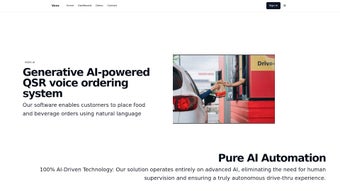

Download Voxx AI – AI‑Powered Voice Ordering System for QSRs
Overview
Voxx AI is a next‑generation, generative‑AI voice ordering platform built specifically for Quick Service Restaurants (QSRs). In an industry where speed, accuracy, and consistency dictate profit margins, Voxx AI brings a conversational interface that can understand a wide variety of accents, slang, and complex customizations while maintaining a natural, human‑like tone. Powered by advanced natural language processing (NLP) and deep‑learning voice recognition, the system can process multi‑item orders, handle special requests (e.g., “no onions,” “extra cheese”), and even suggest upsells based on the customer’s previous purchases.
The software integrates seamlessly with existing point‑of‑sale (POS) systems, kitchen display units (KDU), and mobile ordering apps, creating a unified workflow that eliminates the need for separate hardware or manual data entry. By automating the front‑line ordering process, Voxx AI reduces labor costs, minimizes order errors, and frees staff to focus on food preparation and customer service. Its cloud‑based architecture ensures that updates, security patches, and new language models are rolled out automatically, keeping the system current without downtime.
Whether a small burger joint or a large‑scale coffee franchise, Voxx AI scales with the business, offering a cost‑effective, secure, and future‑proof solution for modernizing the drive‑through, counter, and even in‑store kiosk experiences.
Core Features that Transform QSR Operations
- Real‑time voice recognition with 99% accuracy across multiple dialects.
- Generative AI that can handle complex customizations and dynamic menu changes.
- Seamless POS and kitchen display integration via standard APIs.
- Interactive Q&A flow that confirms order details and suggests relevant upsells.
- Multi‑language support for international chains and tourist‑heavy locations.
- Secure, GDPR‑compliant data handling with end‑to‑end encryption.
- Cloud‑native architecture guaranteeing zero‑downtime updates.
- Analytics dashboard showing order volume, error rates, and average service time.
- Voice‑activated loyalty program enrollment and reward redemption.
- Scalable licensing model suitable for single‑store pilots or nationwide rollouts.
Each feature of Voxx AI is designed with the fast‑paced QSR environment in mind. The real‑time voice engine works on low‑latency connections, meaning a customer can place a full meal order in under 15 seconds, even during peak hours. Generative AI doesn’t just repeat static prompts; it learns from each interaction, refining its suggestions for add‑ons like “Would you like a side of fries with that?” or “Add a drink for $1.99?” This not only boosts average ticket size but also personalizes the experience, encouraging repeat visits.
Integration is handled through pre‑built connectors that map menu items, pricing, and modifiers directly to the restaurant’s existing POS, eliminating the need for costly custom development. The analytics dashboard provides managers with actionable insights: they can track which voice prompts generate the most upsells, identify peak ordering times, and even spot regional flavor preferences. Security is baked in; all voice data is processed in encrypted streams and never stored beyond the session, ensuring compliance with PCI‑DSS and GDPR.
The platform’s multi‑language engine can switch between English, Spanish, French, and Mandarin on the fly, making it ideal for multicultural markets without additional hardware investments.
Installation, Usage & Compatibility
Step‑by‑Step Installation
Installing Voxx AI begins with a simple cloud‑based provisioning process. After purchasing a license, the user receives a secure activation key via email. The admin logs into the Voxx AI portal, enters the key, and selects the desired deployment model—either a fully managed SaaS instance or a private‑cloud option for enterprises with strict data residency requirements.
Once the environment is provisioned, a lightweight SDK is downloaded (available for Windows, macOS, Linux, Android, and iOS). The SDK includes pre‑compiled binaries, API documentation, and sample code snippets to accelerate integration with existing POS or kitchen display systems. Installation on a Windows or macOS server takes less than 15 minutes: run the installer, accept the license agreement, and point the configuration wizard to the restaurant’s POS endpoint (REST or SOAP).
For Android‑based kiosks or iOS tablets, the Voxx AI app can be installed directly from the Google Play Store or Apple App Store, using the same activation key.
Daily Usage Workflow
After the initial setup, staff members only need to calibrate the microphone array and test the voice profile. The system automatically adjusts gain and noise‑cancellation based on ambient sound levels, ensuring clear capture even in a bustling drive‑through. When a customer approaches, the voice prompt—customizable to match brand tone—asks, “Welcome to [Restaurant Name].
What would you like to order today?” The AI parses the response, displays a real‑time transcript on the kitchen display, and confirms each item with a brief voice recap (“You’ve ordered a large cheeseburger with no pickles”). If the customer adds or modifies an item, the AI handles it instantly, updating the order in the POS without manual intervention. Managers can monitor ongoing conversations through the admin dashboard, intervene if needed, and pull detailed logs for quality assurance.
Operating System Compatibility
Voxx AI supports the following platforms:
- Windows Server 2016 / 2019 / 2022 (64‑bit)
- macOS Catalina / Big Sur / Monterey
- Linux distributions (Ubuntu 20.04 LTS, CentOS 8)
- Android 8.0 + (for kiosk tablets)
- iOS 13 + (for iPad‑based ordering stations)
Pros & Cons, FAQ, and Final Verdict
Pros
- High‑accuracy voice recognition across diverse accents.
- Generative AI reduces order errors and increases average ticket size.
- Easy integration with most POS and kitchen display systems.
- Scalable licensing—pay per store or enterprise‑wide.
- Cloud‑native updates keep the system current without downtime.
- Robust analytics for operational insights.
- Multi‑language support enhances accessibility.
- Secure data handling meets PCI‑DSS and GDPR standards.
Cons
- Initial setup requires modest IT expertise for API integration.
- Dependent on stable internet connectivity for cloud processing.
- Voice hardware (microphones, speakers) may need calibration in noisy environments.
- Subscription cost can be higher for very small, single‑location eateries.
Frequently Asked Questions
How does Voxx AI handle multiple customers speaking at once?
The AI uses directional microphone arrays and speaker‑diarization algorithms to isolate each speaker. In a drive‑through lane, the system focuses on the vehicle closest to the mic, ignoring background chatter. If two customers speak simultaneously, it prompts the user to repeat the order, ensuring accuracy.
Can Voxx AI be customized to match my brand’s tone?
Yes. The platform includes a voice‑style editor where you can select gender, accent, and conversational style. You can also upload custom greetings, promotional scripts, and upsell messages that align with your branding guidelines.
What security measures protect customer data?
All voice data is encrypted in transit using TLS 1.3 and is not stored beyond the processing session. The system complies with PCI‑DSS for payment data and GDPR for personal information, providing audit logs and data‑retention controls.
Is there a free trial or demo available?
Voxx AI offers a 30‑day sandbox trial with limited order volume, allowing restaurants to test voice interactions, integration, and analytics before committing to a paid plan.
How does the pricing model work?
Pricing is subscription‑based, calculated per active location. Tiered plans provide discounts for multi‑store contracts, and there is an optional add‑on for advanced analytics and premium voice skins.
Overall Verdict: Voxx AI delivers a compelling blend of AI‑driven accuracy, seamless integration, and actionable analytics that can dramatically improve order speed and reduce labor costs in QSR environments. While the upfront integration effort may require a short IT sprint, the long‑term ROI—driven by higher ticket values and fewer order mistakes—justifies the investment for most medium‑to‑large chains. Small, single‑store operators should weigh the subscription cost against projected labor savings, but the 30‑day trial offers a low‑risk way to evaluate the platform.
Conclusion & Call to Action
In a market where every second counts, Voxx AI equips Quick Service Restaurants with a reliable, AI‑powered voice ordering engine that boosts efficiency, enhances the guest experience, and drives revenue growth. By eliminating manual order entry and offering intelligent upsell suggestions, the system turns the mundane act of ordering into a strategic advantage. Ready to modernize your drive‑through, counter, or kiosk? Download Voxx AI today, start your free 30‑day trial, and see how conversational AI can transform your restaurant’s bottom line.



.png)



